


US LushPvE Monthly
 Europe
2x | Skills | Events | Npc Raids | Quests
 6/50
6/50
 Last checked 2 m ago
 Wiped 1 d ago
5% elapsed95% left
 Next wipe in 28 days
2x Gather6 avg wipe peak Vanilla
Vanilla Lush Custom PvE Maps
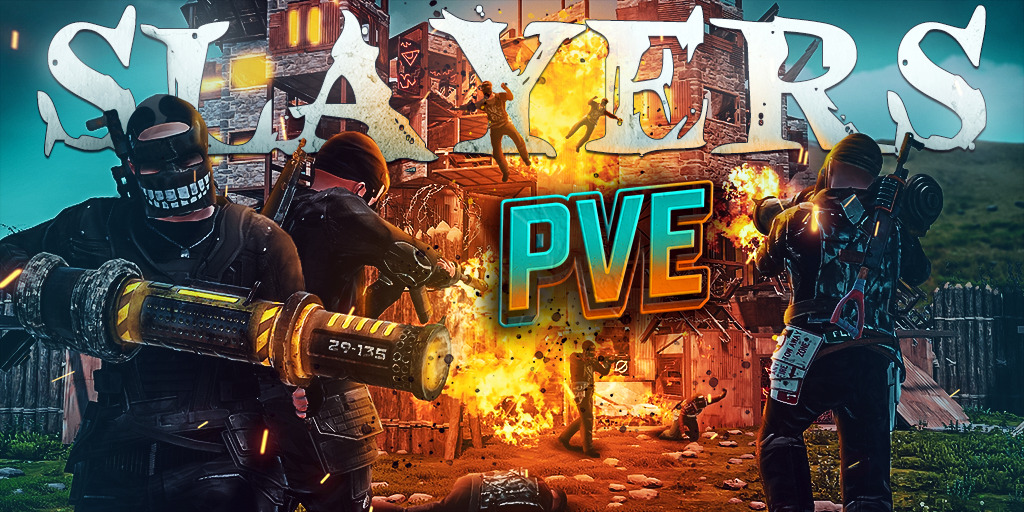
 SLAYERS.GG 2X PVE ZOMBIES|LEGENDARY WEAPONS|PLANES|RAID BASES
 Server admin? Sign in with Steam to claim this server.
109 ms · Chicago
Jitter 3.8 ms
Last checked 4 m ago
0 / 100 players
Fly Jets, Planes and UFOs!
2x 56 days live Avg ping 110.2 ms Avg jitter 5.3 ms Wipe halving: 2 days Wipe cycle 14 ±7 days
Server owner? Add discord.gg/yourcode to your server's name or map to show your Discord invite here.
Connect: 168.100.161.85:31015
First seen 07.08.2026
Last wipe: (1 d ago)
| Wiped | Days since previous |
|---|---|
| 21 | |
| 7 | |
| — |
Wipe timing behind this data is sometimes inferred rather than confirmed, so daily figures right around a wipe boundary can land on the wrong day. Accuracy improves over time as detection gets more precise.
Highest peak 11 Sep 6 Median daily peak 6 (median of daily peaks, not average population)
Observed daily peak
31 full · 0 partial · 0 offline · 0 no data
Each line follows one wipe cycle from the moment it started, lined up by days since that wipe rather than by calendar date — so you can compare how well this server held onto its population after different resets, independent of when each one happened.
★ [EU] SLAYERS.GG 2x PVE | The #1 PVE Rust Experience!
★ VIP: slayers.gg | discord.gg/slayersgg | Wipe: Monthly Thur 2pm est
Features:
• LEGENDARY Weapons, Armor & INSANE Epic Loot Upgrades!
• FREE SKIN, BGRADE, REMOVER TOOL, MINI, PLANES and Roaming Zombies!
• FLY PLANES! Starwars, UFO, F15, Lambo, Batbike, MarioKart, Police Car, Monster Truck!
• Skins, Stats, Heli, Kits, TP, Homes, Shop, Weed and Cooking Plugin
• Get FREE [BUILDER] VIP after 100 Hours playtime!
• Buy Raidable Bases with /Buyraid
• Armored Train, Convoy, Sputnik, Heavy Oilrig and Airfield Events
• XP MMO Leveling System with Specs, Skills and Talents
• RP Buyable Patrol Helicopter and Bradley
• GunGame/KingOfTheHill Arena every 45 Minutes! /ggjoin /eventvote
• Buildable Custom Monuments marked by an X
• Purge Day is Final 24 Hours of Wipe! Type /Kit Purgeday
• Abandoned Bases/Players removed after 3 days of Inactivity
• You/Teammate must Logon once every 3 days to keep your base
• Join the FUN with 5000 Players on Discord, let’s create EPIC memories together!
Server rules:
1. No Hacking, glitching, or exploiting.
2. Respect Staff.
3. No foundation or item spam.
4. No Slurs, racism, hate speech or toxicity.
5. 10 Man Clan Limit.
6. Do not call out Hackers in Global Chat, report them with F7 Report and Discord Ticket.
7. NO TC Griefing Players Bases, Bannable Offense.
8. No Griefing, Trolling or Bothering other players in any way, No stealing items, No stealing raidable bases, abandoned bases or monuments.
| Checked | Status | Ping | Players |
|---|---|---|---|
| Online | 109 ms | 1 | |
| Online | 108 ms | 1 | |
| Online | 115 ms | 0 | |
| Online | 109 ms | 0 | |
| Online | 109 ms | 0 | |
| Online | 109 ms | 2 | |
| Online | 109 ms | 3 | |
| Online | 116 ms | 1 | |
| Online | 110 ms | 3 | |
| Online | 109 ms | 2 | |
| Online | 109 ms | 1 | |
| Online | 110 ms | 1 | |
| Online | 116 ms | 1 | |
| Online | 115 ms | 0 | |
| Online | 109 ms | 1 | |
| Online | 109 ms | 5 | |
| Online | 114 ms | 3 | |
| Online | 110 ms | 8 | |
| Online | 109 ms | 2 | |
| Online | 109 ms | 1 | |
| Online | 116 ms | 2 | |
| Online | 108 ms | 1 | |
| Online | 110 ms | 1 | |
| Online | 110 ms | 1 | |
| Online | 109 ms | 3 | |
| Online | 110 ms | 2 | |
| Online | 115 ms | 4 | |
| Online | 110 ms | 3 | |
| Online | 109 ms | 2 | |
| Online | 117 ms | 0 | |
| Online | 115 ms | 0 | |
| Online | 109 ms | 0 | |
| Online | 116 ms | 1 | |
| Online | 109 ms | 1 | |
| Online | 116 ms | 1 | |
| Online | 109 ms | 0 | |
| Online | 109 ms | 2 | |
| Online | 110 ms | 0 | |
| Online | 109 ms | 0 | |
| Online | 110 ms | 0 | |
| Online | 116 ms | 0 | |
| Online | 109 ms | 0 | |
| Online | 110 ms | 0 | |
| Online | 109 ms | 1 | |
| Online | 109 ms | 1 | |
| Online | 115 ms | 3 | |
| Online | 115 ms | 5 | |
| Online | 110 ms | 2 | |
| Online | 115 ms | 0 | |
| Online | 116 ms | 0 |
Europe
2x | Skills | Events | Npc Raids | Quests
6/50
Last checked 2 m ago
Wiped 1 d ago
Next wipe in 28 days
VanillaLush Custom PvE Maps

Europe
Monthly Trio Premium |50% Upkeep|No BP Wipes|x2
0/200
Last checked 2 m ago
Wiped 1 d ago
Next wipe in 28 days


Europe
Monthly Duo/Trio/Quad Premium|50% Upkeep|Max 4|x2
0/200
Last checked 4 m ago
Wiped 1 d ago
Next wipe in 28 days
A wipe resets a server's map and usually player progress too — bases, resources, and blueprints, unless the server keeps blueprints through wipes (shown here as "No BP wipe"). Most servers wipe on a regular schedule, often weekly.
Facepunch pushes a mandatory update on the first Thursday of each month that requires every Rust server to wipe, regardless of its own schedule — a "force wipe," distinct from a server's regular map wipe.
The "Next wipe" time above is extracted from the server's own published schedule. "High confidence" means the server stated an explicit date or time; "Predicted" means it's estimated from the server's typical cadence and isn't guaranteed.
Copy the server address above, open Rust's in-game console with F1, and run client.connect followed by the address — or connect directly through Steam's server browser using the same address.